To open the mentor management page, go to the «Onboarding» section and click the «Mentors» button.
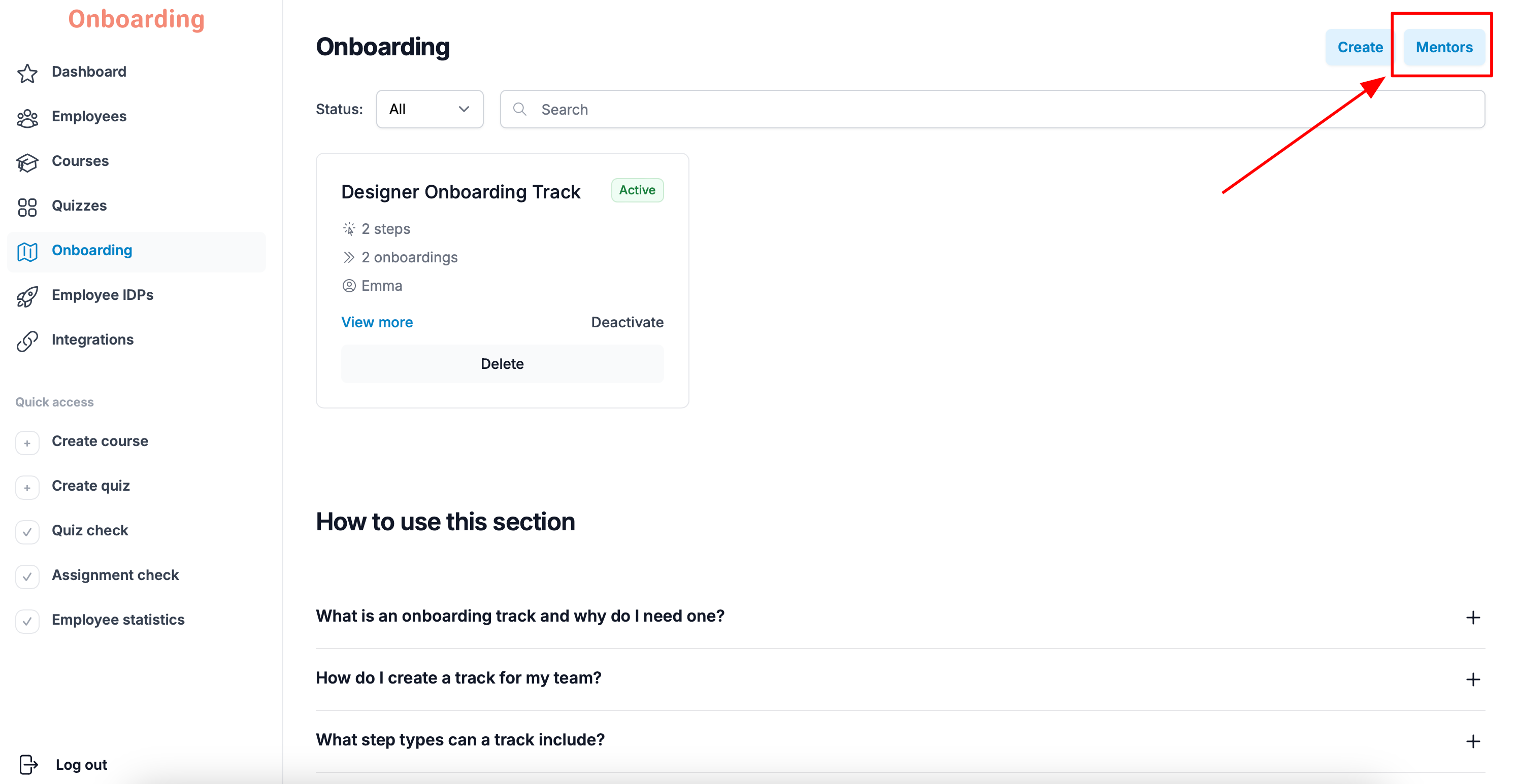
You'll see a list of onboarding tracks with their assigned mentors. On this page you can change the mentor on any existing onboarding track.
To do that, pick the track you need and click «Change mentor».
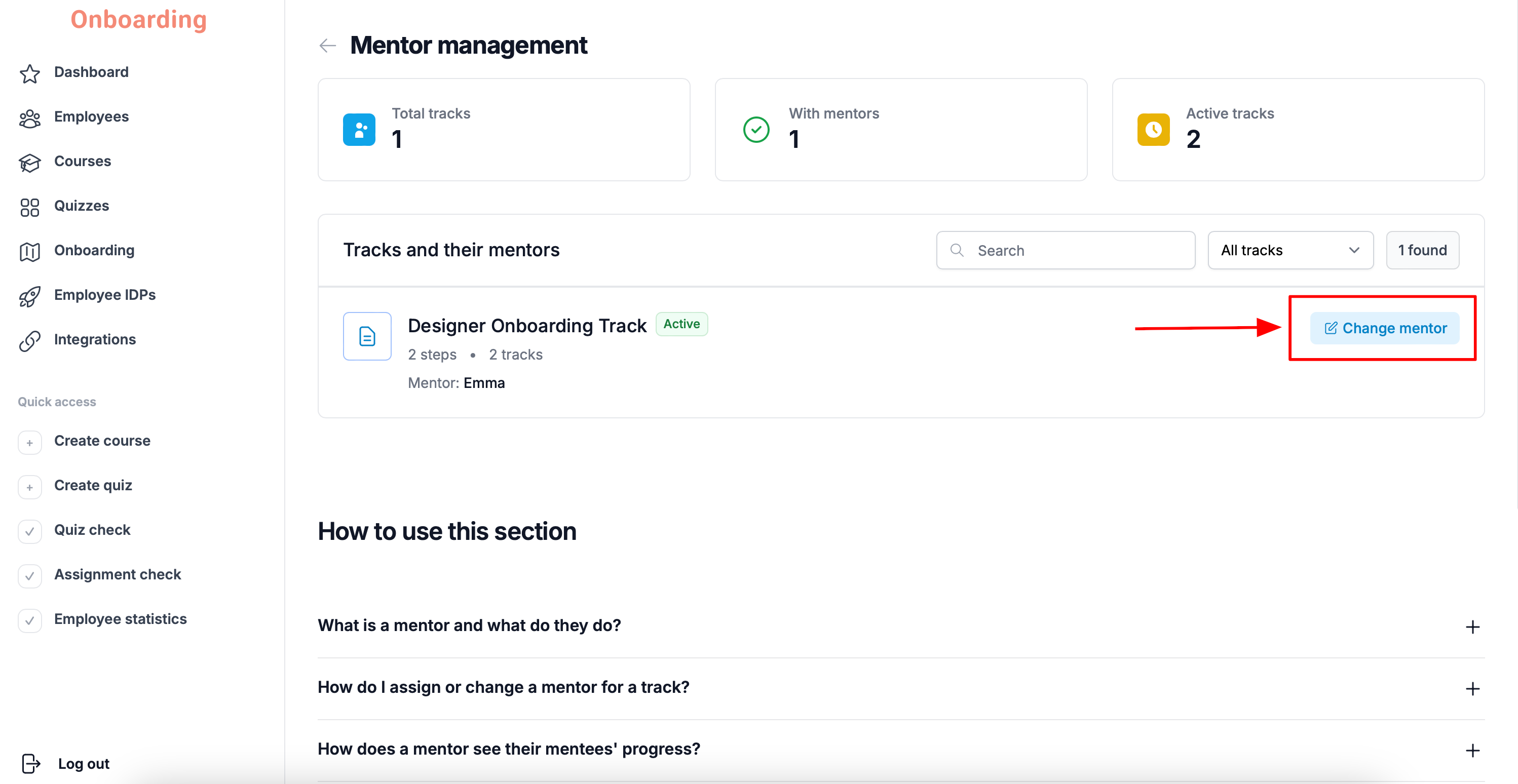
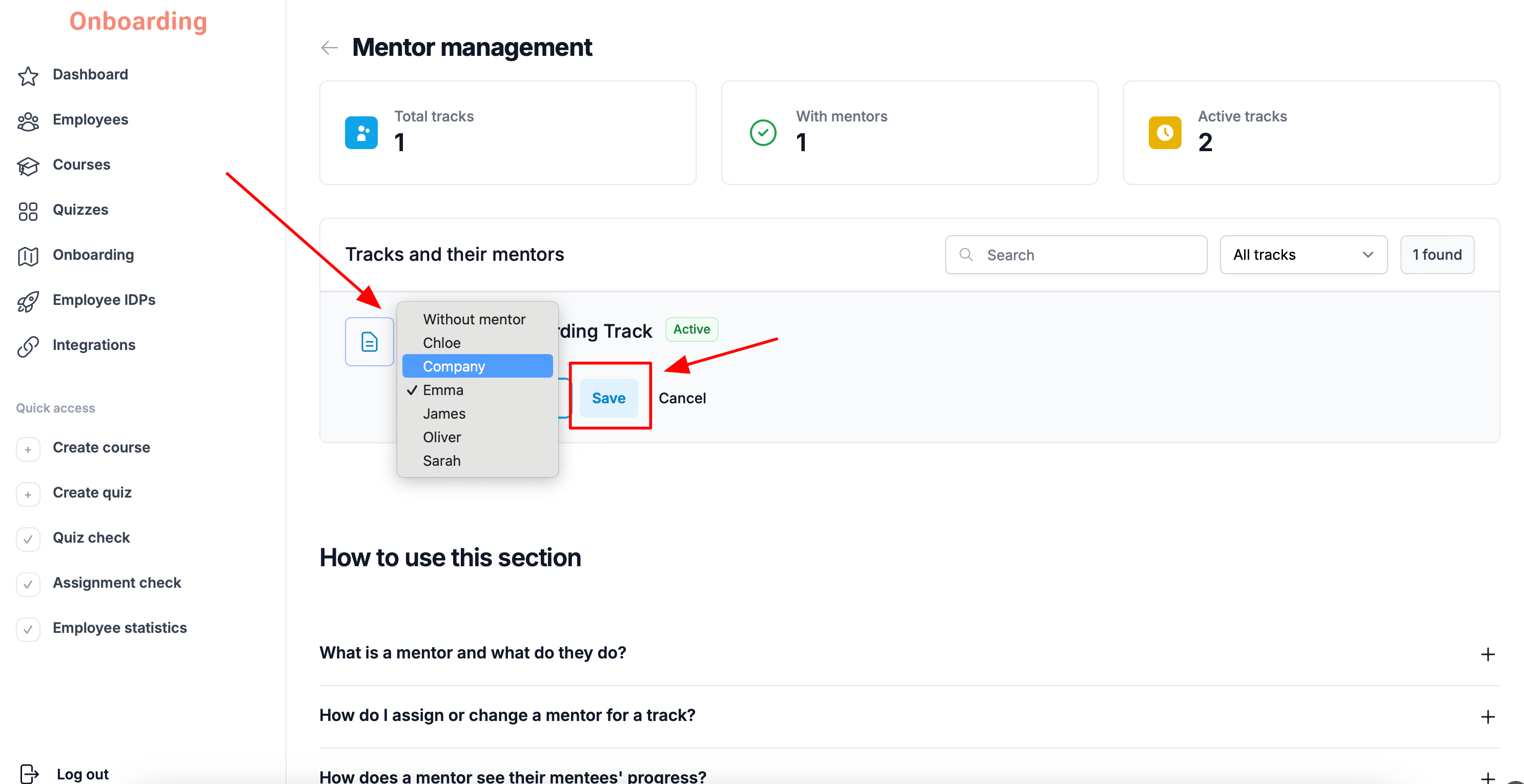
In the list that opens, you can choose any employee registered on the platform, including the user the organization's account («Company») is registered to.
If needed, you can also remove the mentor from the track by choosing «Without mentor».
Once you've made your choice, click «Save».
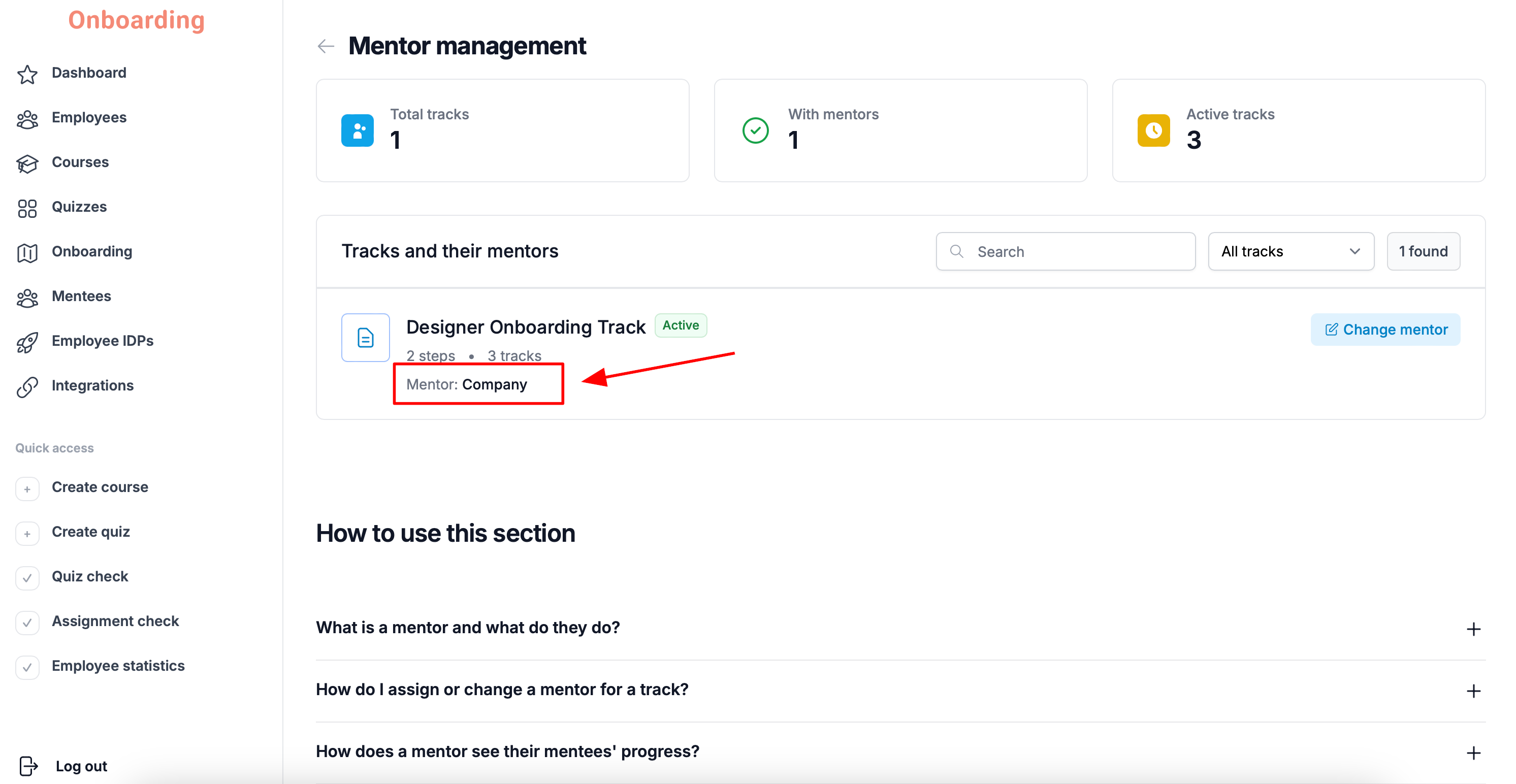
The mentor for the onboarding track has been changed 🎉
A single employee can serve as the mentor for several onboarding tracks at once.
Changing the mentor applies to every employee assigned to that onboarding track.
Once you save the change, the new mentor is assigned both to employees already going through onboarding and to those who will be assigned the track in the future.