To see overall platform statistics, open the «Dashboard» section from the sidebar menu.
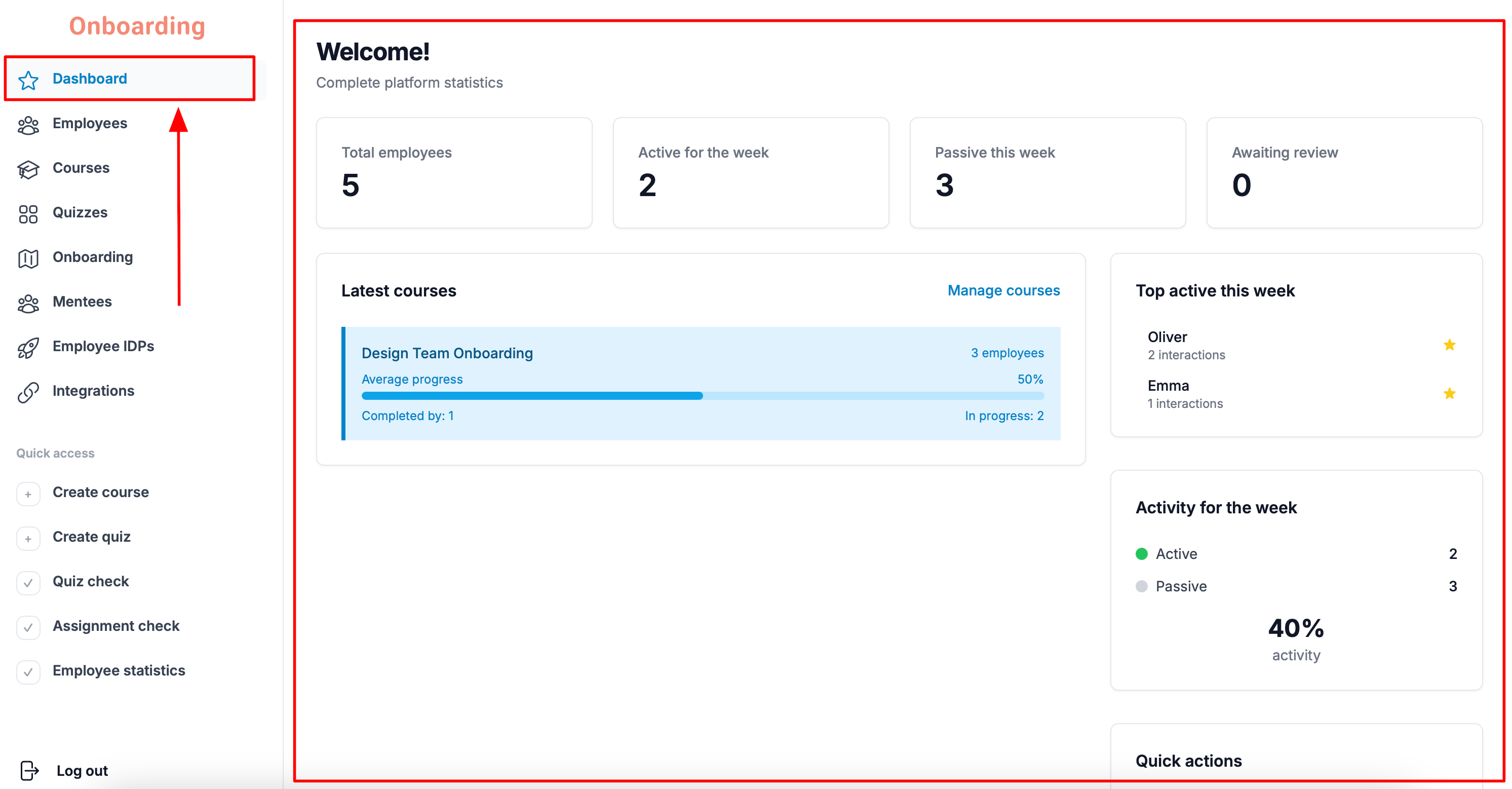
The dashboard shows a summary of platform activity, including:
- Total employees – the total number of registered employees.
- Active for the week – the number of employees who have been active on the platform in the last 7 days.
- Passive this week – the number of employees with no activity in the last 7 days.
- Activity or the week – the percentage of employees active in the last 7 days.
- Awaiting review – the number of homework assignments and quizzes waiting for review.
- Top active this week – the employees with the most platform activity over the past week.