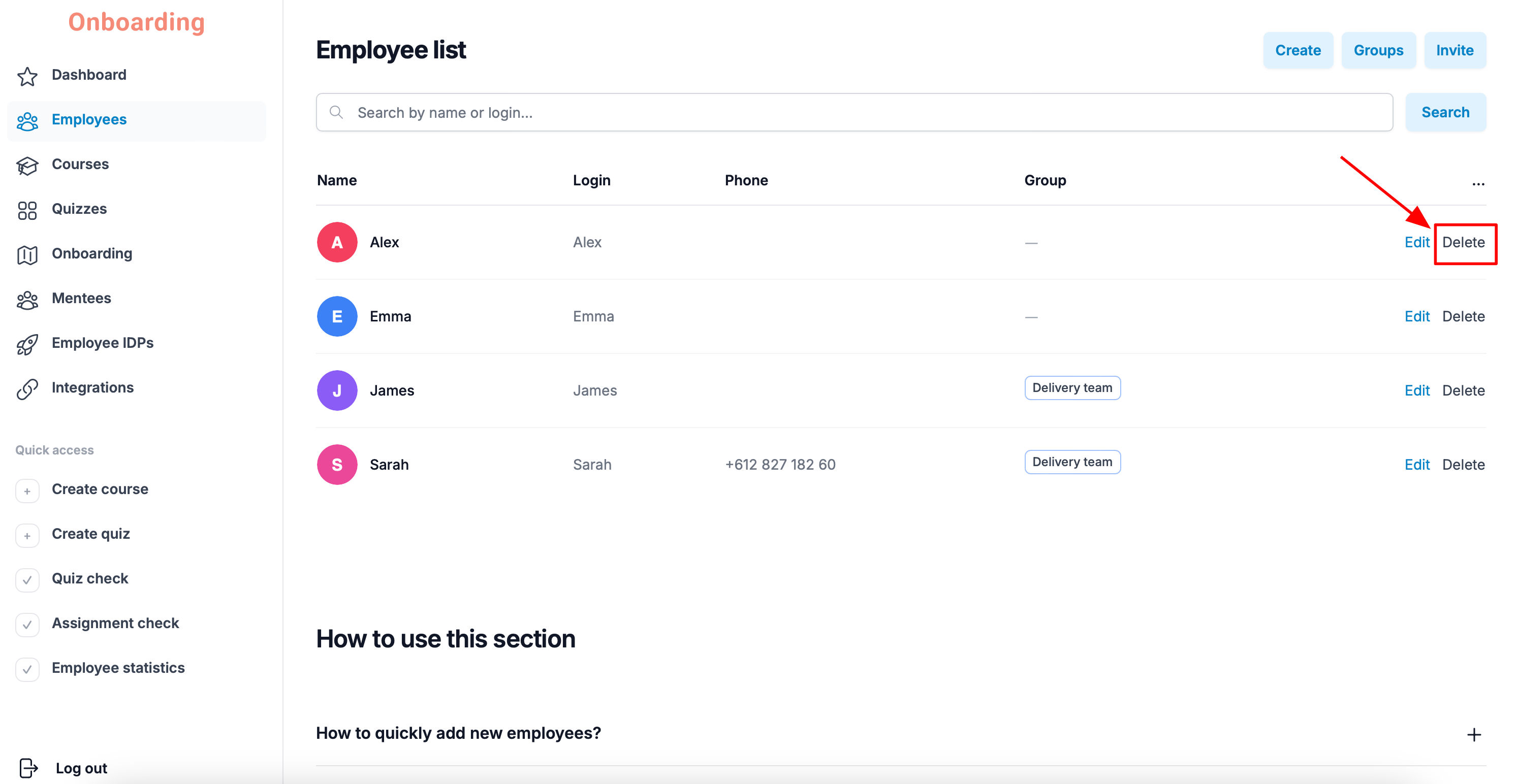
To delete an employee, open the «Employees» section.
Find the employee in the list and click «Delete» next to their name.
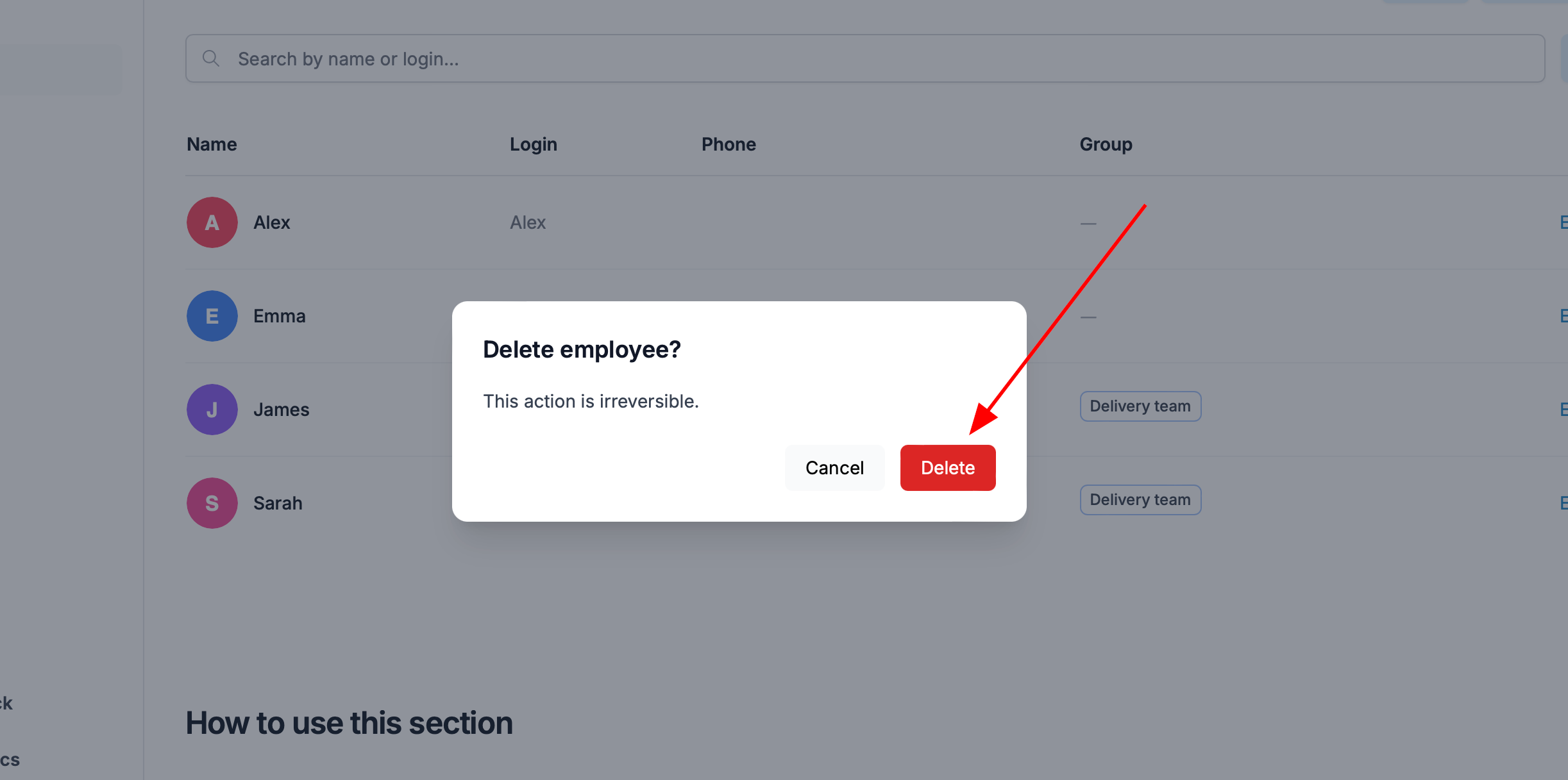
Confirm the action by clicking «Delete» again in the window that appears.
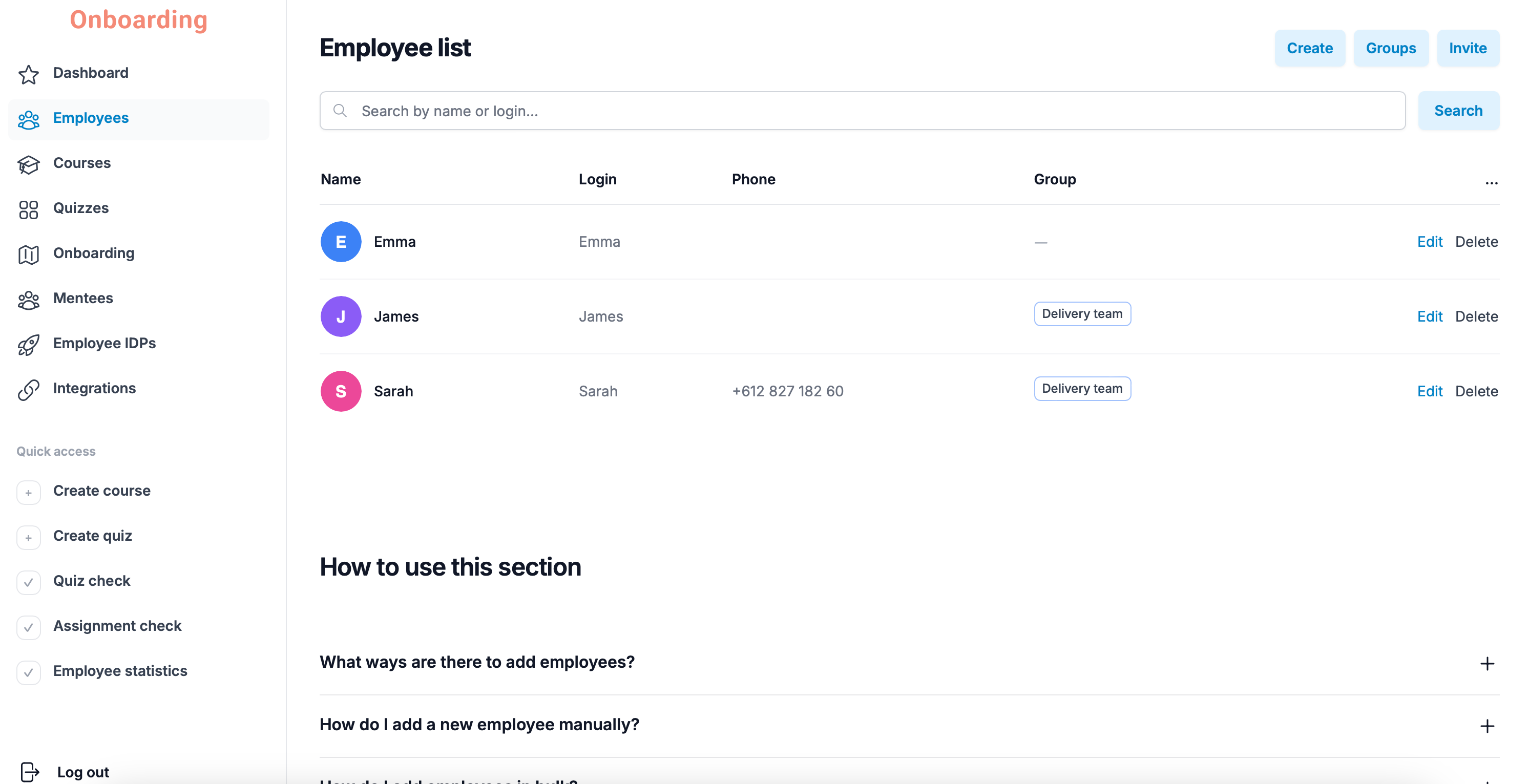
Done
The employee has been deleted and no longer appears in the employee list.
Important
Deleting an employee cannot be undone.
When an employee is deleted, all their data is permanently removed — including training history, course results, onboarding tracks, and accumulated analytics.
If needed, you can add the employee back manually or invite them via a link. In that case, the system treats them as a brand-new user, and all their statistics and training progress start from scratch.