To delete an existing onboarding track, open the «Onboarding» section and pick the track you need.
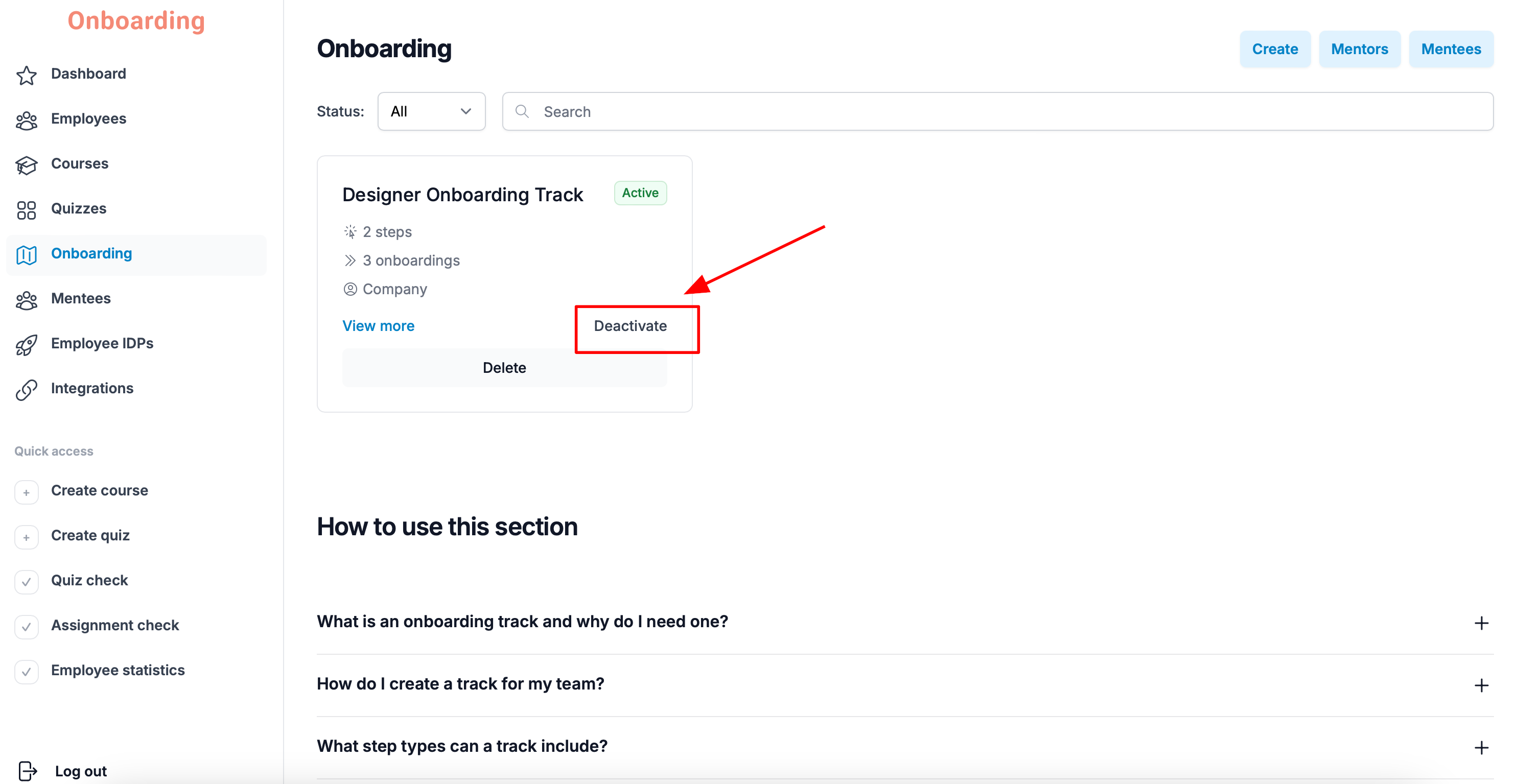
Before deleting, we recommend deactivating the track first by clicking «Deactivate».
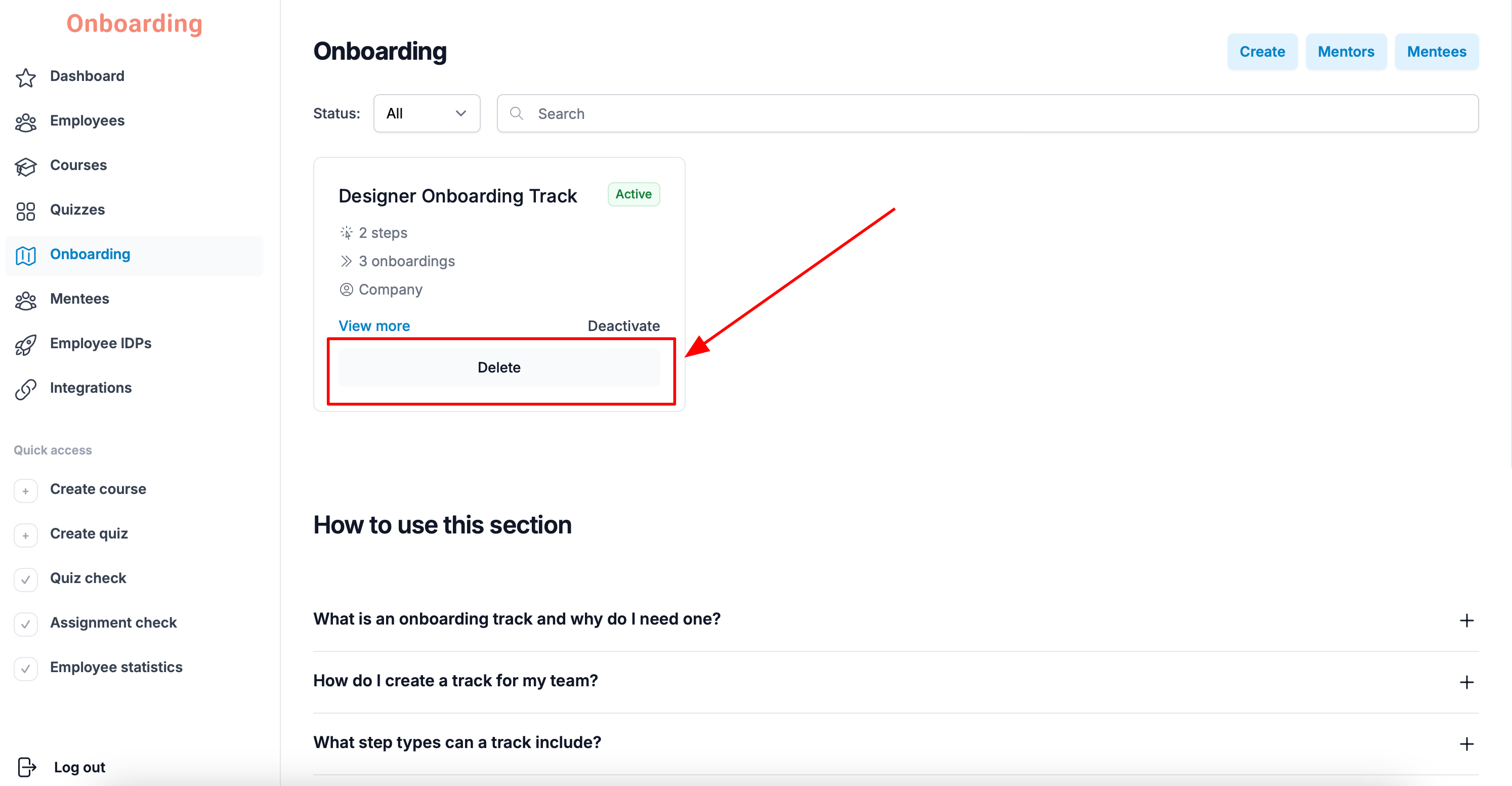
After deactivation, click «Delete».
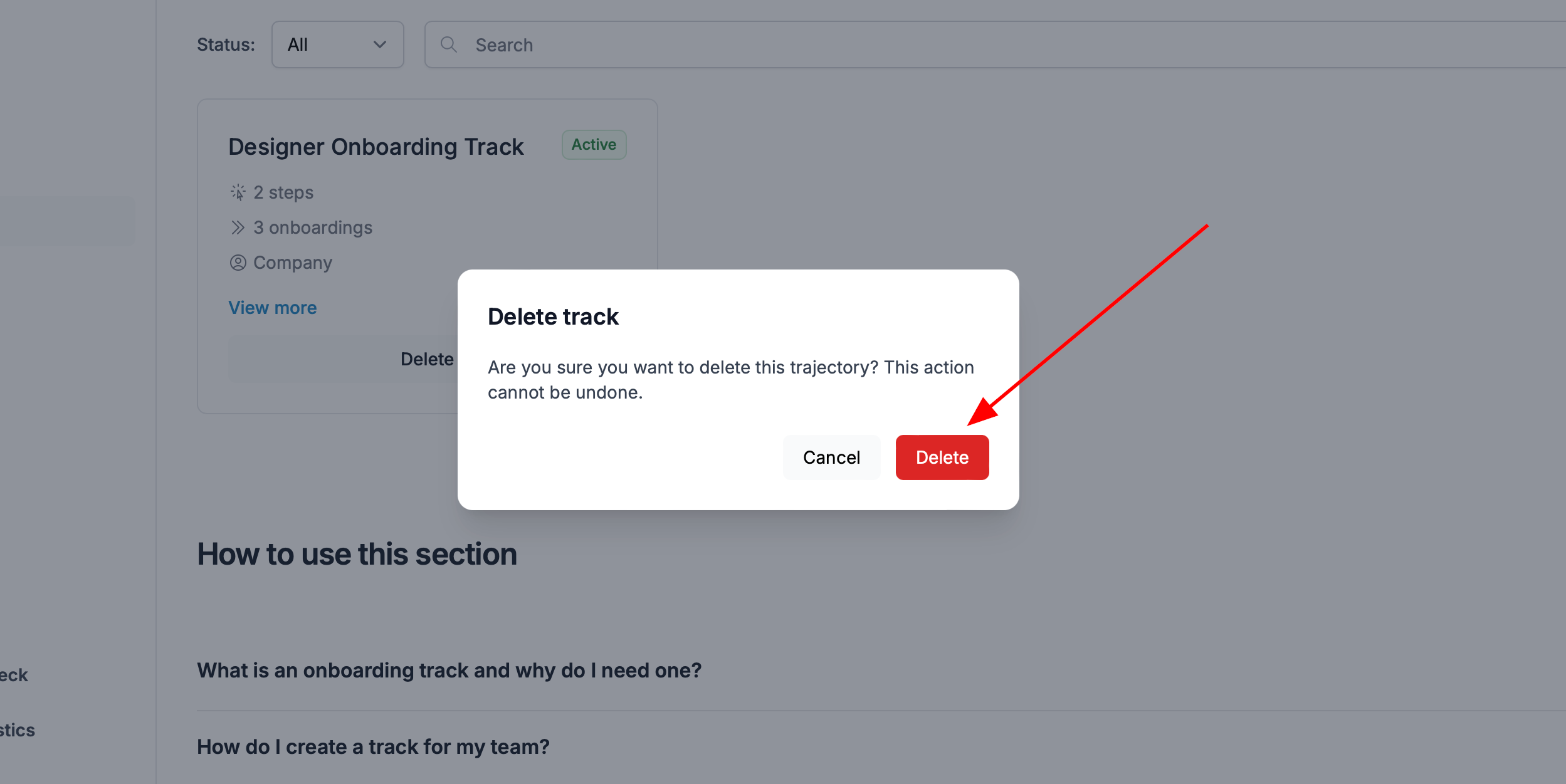
Confirm the action by clicking «Delete» again in the window that appears.
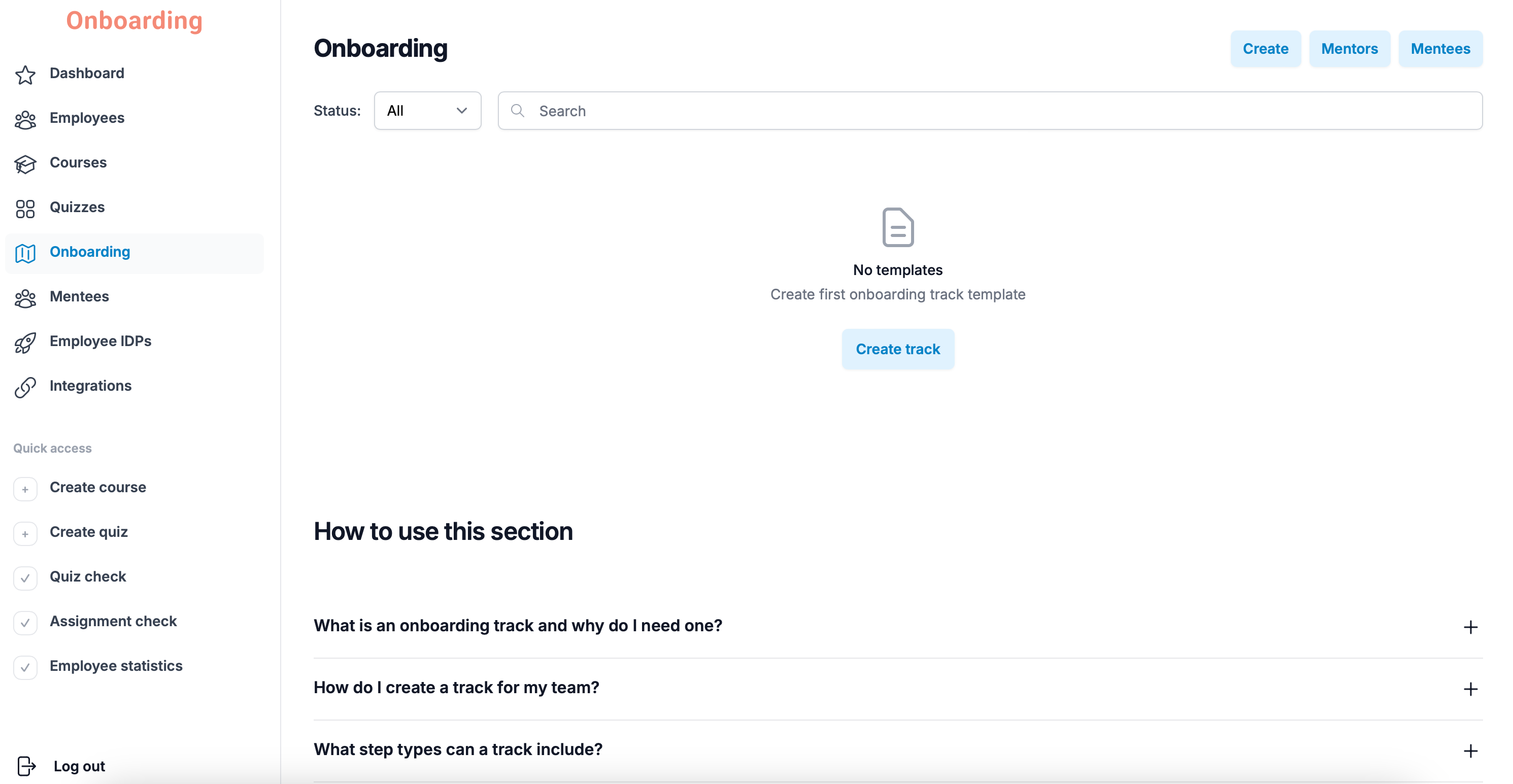
Done
The onboarding track has been deleted and no longer appears in the list of tracks.
Important
Deleting an onboarding track cannot be undone. Once you confirm the deletion, the track cannot be restored.
Deleting a track also removes all the data connected to it, including employees' results, statistics, analytics, and onboarding progress.
Before deleting, make sure the track is no longer in use and its data won't be needed for future analysis.