If needed, you can deactivate an onboarding track so it's no longer assigned to new employees.
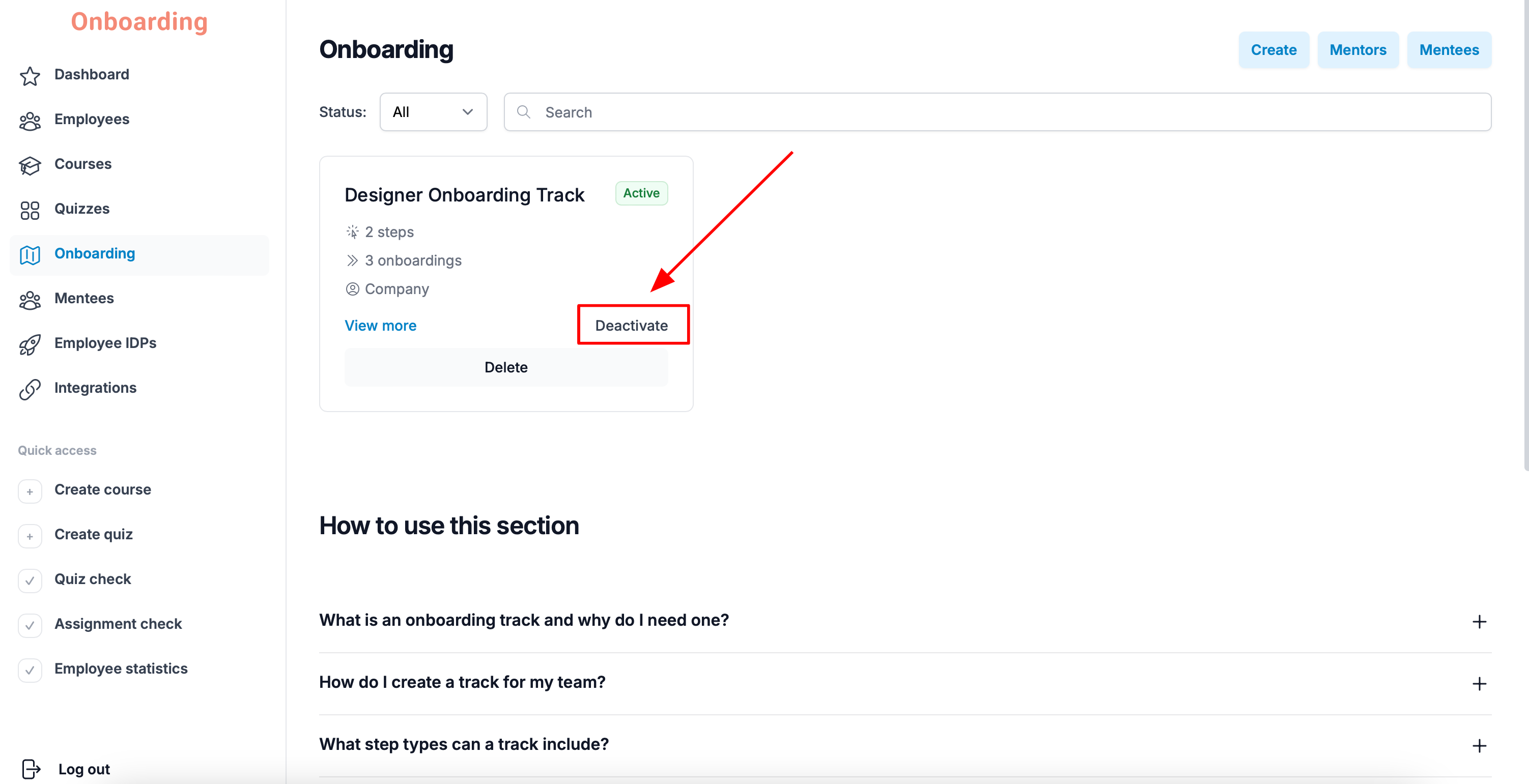
To deactivate a track, open the «Onboarding» section, pick the track you need, and click «Deactivate».
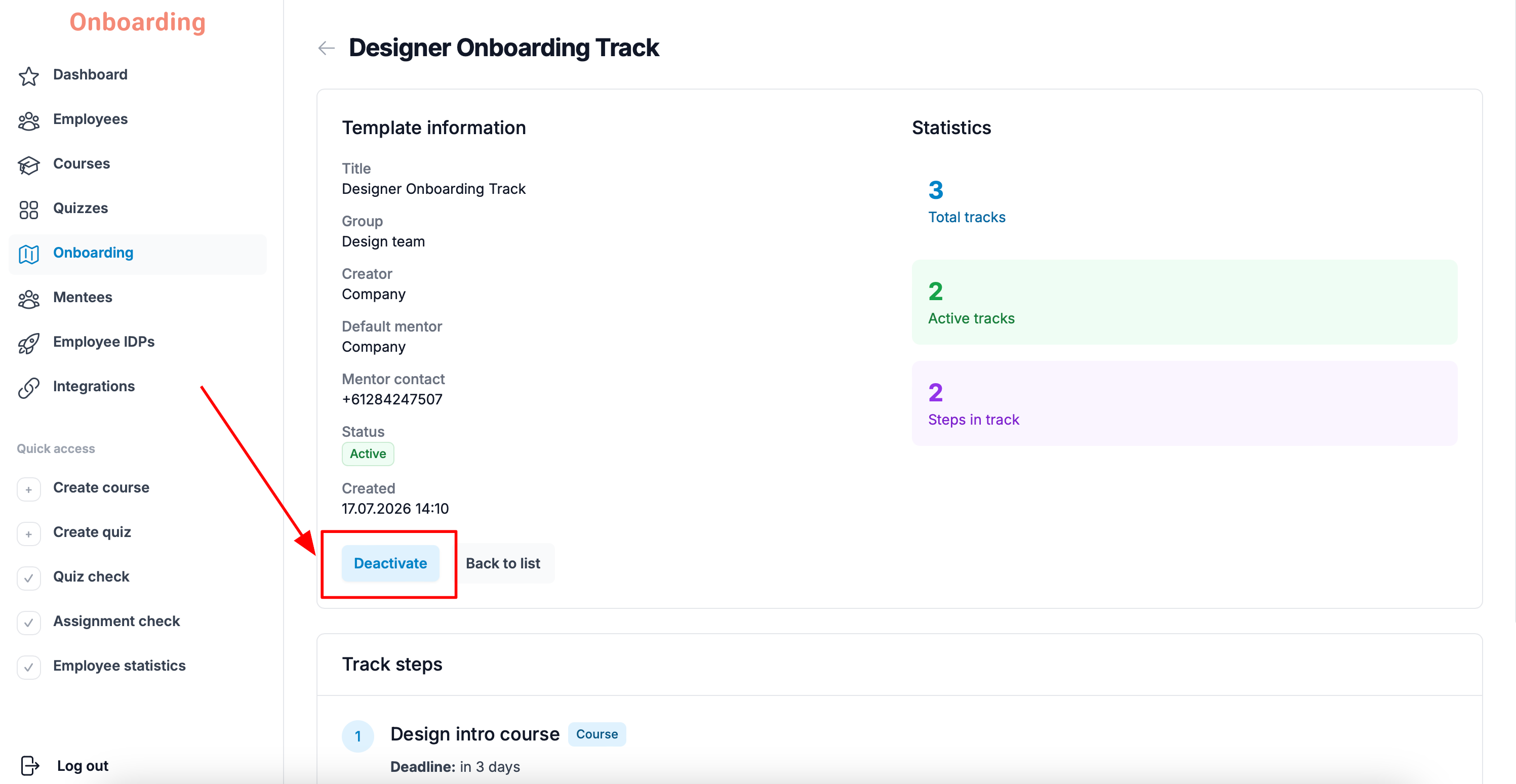
You can do the same from the track's own page by clicking «Deactivate».
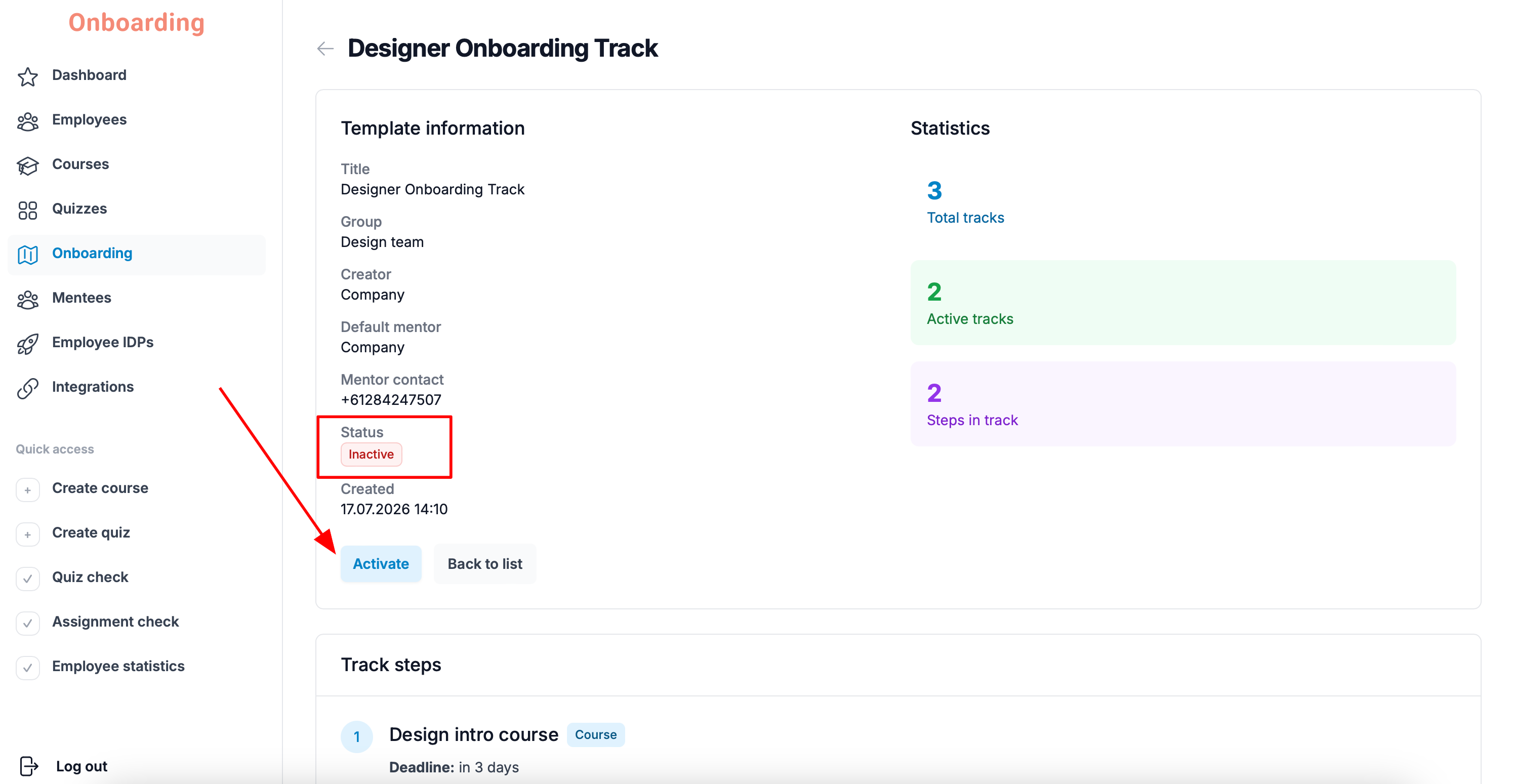
The track has been deactivated.
Its status changes to «Deactivated», and the «Deactivate» button turns into «Activate».
After deactivation, the track will no longer be assigned to new employees added to the group.
Employees who were assigned the track before deactivation can continue and finish their onboarding as usual.
Deactivating a track doesn't affect the progress, results, or statistics of employees already going through onboarding.
If you need to change the content of an onboarding track, we recommend deactivating the current one and creating a new track.
That way you preserve the progress and statistics of employees already in onboarding, while new employees get the updated version of the track.
Editing an existing onboarding track isn't available on the platform.